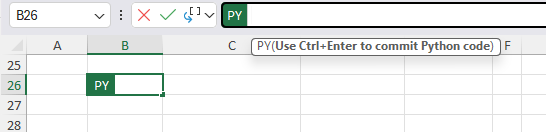
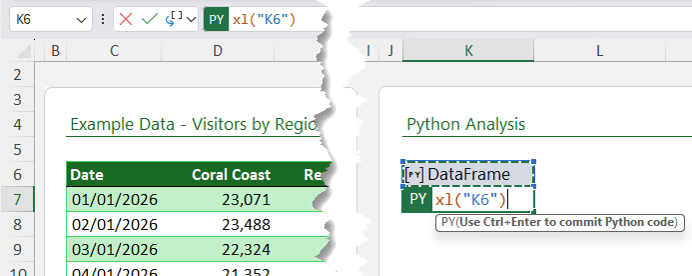
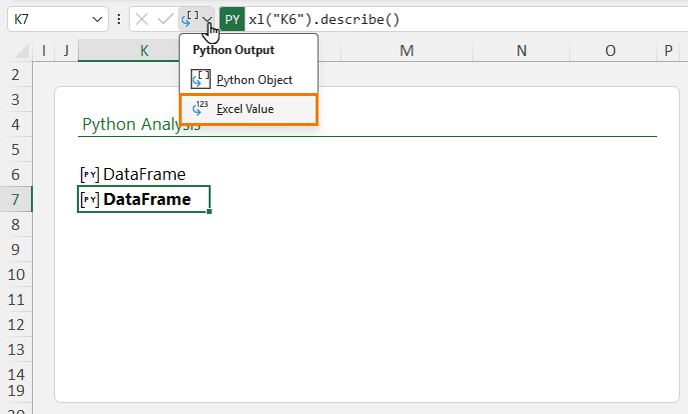
Type =PY → tab, then click in the cell containing the dataframe:
Then type .describe() You should see this in the formula:
xl("K6").describe()
Press Ctrl+Enter to complete the Python formula.
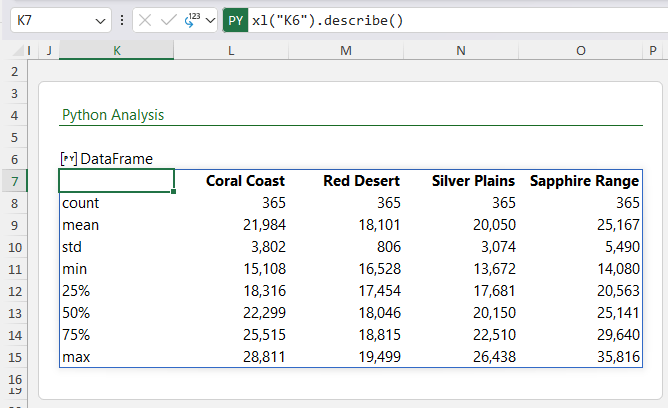
Switch the output display to "Excel value" to view:
Now you should see the
• Count
• Mean
• Standard deviation
•
Minimum
• Maximum
Example: Get Totals
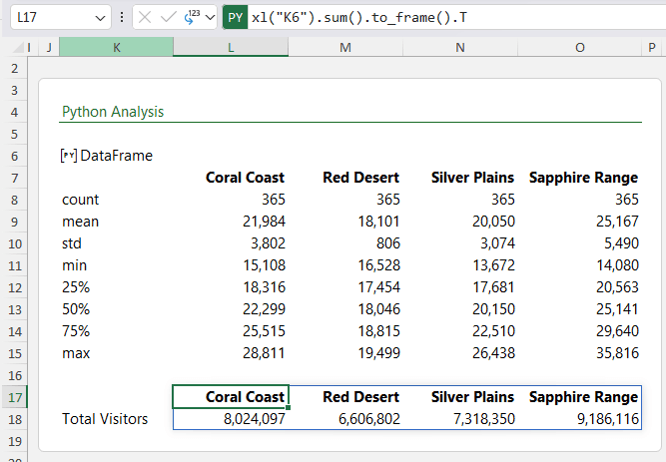
Want totals for each region? Use the sum() function to automatically return them. For a horizontal output, follow it with to_frame() to transpose them.
xl("K6").sum().to_frame().T
Python reduces multi-step analysis to a single expression.
Now Python statistics in Excel are super quick and easy.
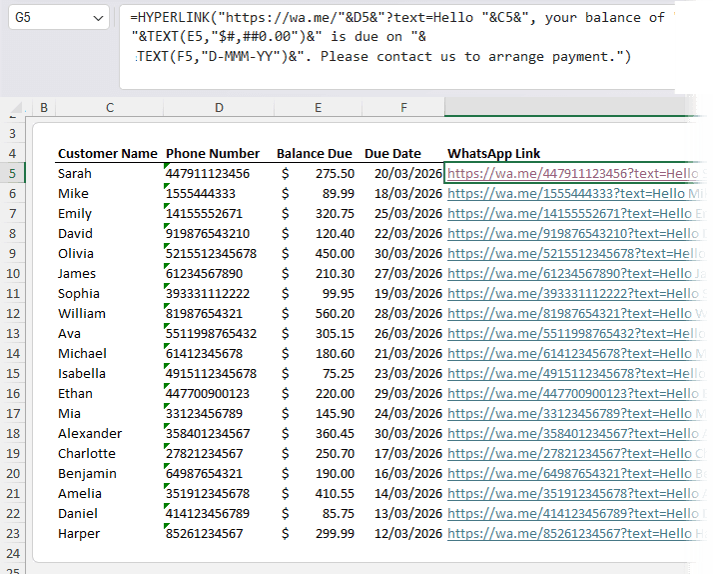
Important: Phone numbers must include country code and no spaces.
Download the WhatsApp desktop app. Then use a formula to automatically generate the messages.
Example Formula
=HYPERLINK("https://wa.me/"&D5& "?text=Hello "&C5& ", your balance of "&TEXT(E5,"$#,##0.00")& " is due on "&TEXT(F5,"D-MMM-YY")& ". Please contact us to arrange
payment.")
What this does:
• Inserts the phone number
• Personalises with the customer name
• Formats currency
• Formats date
• Generates a clickable message link
When clicked, it opens WhatsApp Desktop with the message pre-filled.
Use cases:
•
Payment reminders
• Appointment confirmations
• Event notifications
• Promotional campaigns
Now you're all set to send WhatsApp messages from Excel.
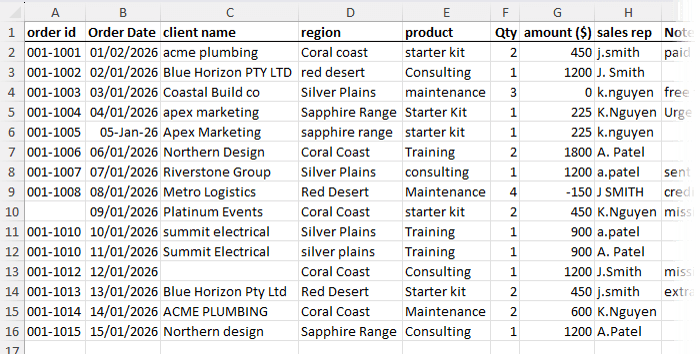
Let's look at using Copilot Agent to clean this messy data:
1. Click anywhere in your dataset.
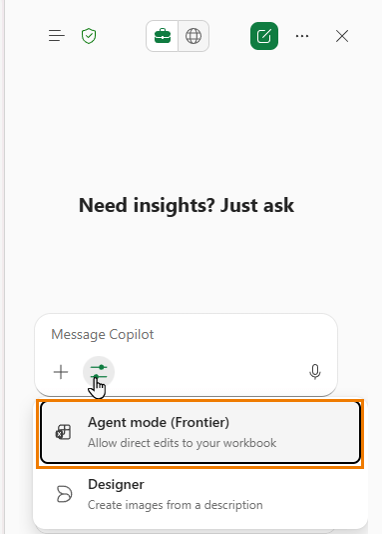
2. Go to Home > Copilot.
3. Switch to Agent mode:
4. Enter the prompt:
"Review the data in this worksheet and clean it ready for analysis. Also advise of any issues or anomalies I should look into further."
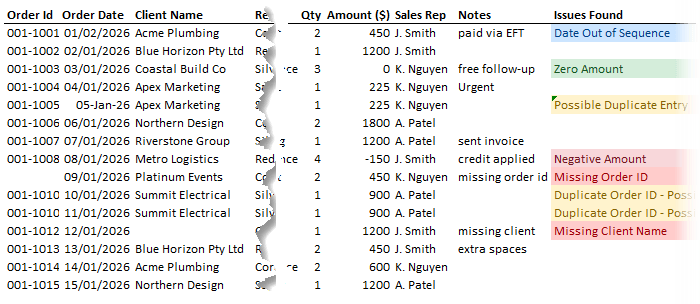
Copilot:
• Applies cleaning steps
• Displays changes made
• Flags issues requiring review
Now you're all set to use Excel Copilot Agent to clean data automatically. Note: It does not replace judgment, but it significantly reduces manual preparation time.
Why Excel Automation Matters
Automation in Excel is not about complexity.
It is about eliminating repetitive tasks. The more your spreadsheet updates itself, the less time you spend maintaining it.
Automation reduces:
• Human error
• Rework
• Manual correction cycles
It increases:
• Accuracy
• Efficiency
• Professional polish
Have a great day,
Mynda
Treacy
Co-founder My Online Training Hub
Did someone forward this email to you?
Want to sponsor our newsletters? Just reply to this email to get in touch with
us.
Learn With Us
This email may contain affiliate links. This means I may earn a commission should you choose to make a purchase using my link. But we only promote courses we believe will benefit you.





 Learn With Us