Want to sponsor our newsletters? Just reply to this email to get in touch with us.
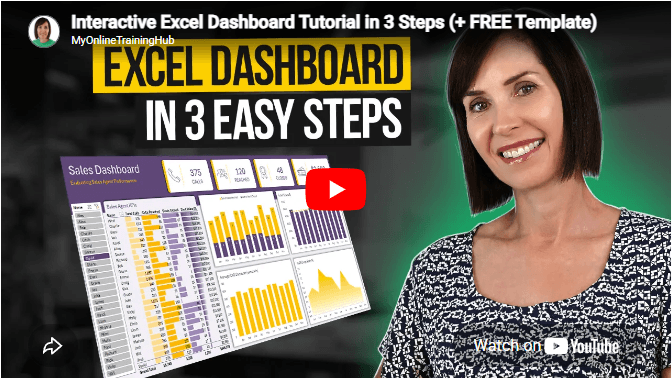
Excel Dashboards
Dashboards provide insight, analysis and alerts by displaying key trends,
comparisons and data in interactive reports. Filter data and change views to find the answers you need.
Microsoft’s leading business intelligence tool enables you to quickly develop stunning interactive dashboards. Embed Excel charts, Pivot Tables and data, then securely share to any device.
Ready to go beyond spreadsheets and start
solving real business problems? Whether transitioning into data analysis or levelling up in your current role, this Excel Fast Track is your launchpad.
Automate
repetitive tasks and build powerful Excel applications with Macros and VBA. Record macros, write VBA code, create custom functions and build user forms — no prior programming experience required.
Get quickly up to speed with Excel’s functions. Covers the fundamentals for each function and less-obvious advanced uses. The techniques that will really set you apart from the crowd.
Make huge efficiency gains using dynamic named
ranges that automatically update formulas, Pivot Tables and charts. Automate banded formatting, sorting, filtering and totals — all in under 1 hour.
Quickly build your own Pivot Tables with confidence. Covers ideal data layout, formatting, aggregation, pivot charts, filters, slicers and much more — in the shortest time possible.
Automate the laborious task of gathering and cleaning data from almost any source. Load data into Excel, Power Pivot or Power BI for analysis, report preparation or export.
Import millions of rows of data, create relationships between different data
sources, and build interactive reports. Transform huge volumes of data into meaningful information fast.
From zero to hero — confidently list ‘Advanced Excel Skills’ on your resume. Covers best workbook design, advanced formulas, pivot tables, conditional formatting, macros and much more.
Supercharge your workflow with AI across Word,
Excel, PowerPoint, Outlook and Teams. No tech jargon — just practical skills that make your daily work easier, faster and smarter.
Master the three primary financial statements: Income Statement, Balance Sheet and Cash Flow. Avoid common modelling mistakes through bite-sized, easily digestible segments.
Ideal
for managing daily business operations. Covers breakeven, shipping optimisation, NPV maximisation, staff scheduling, an introduction to Excel Solver, and creating Gantt Charts.
Quickly summarise and analyse large amounts of data with just a few clicks. Transform data into meaningful information and create reports that are easy to update and change.
Choose one or any
combination of the three. Learn the core Office tools every professional needs — covering the skills that matter most in a modern workplace environment.
Use Excel’s built-in tools to make confident business decisions under uncertainty — Monte Carlo simulations, Decision Trees and Forecasting with the Data Analysis Toolpak.
Designed for customer service and call centre professionals. Efficiently collect and analyse data, create forecasts, and generate clear, meaningful charts and reports.
Leverage Excel for financial analysis: time value of money, What-If
analysis, Goal Seek, Amortisation, Depreciation and Solver. Ideal for accountants, analysts and business school students.
Statistics for the non-statistician. Generate descriptive statistics, histograms, correlations, regression, rank & percentile, random numbers and sampling — quickly and efficiently.
This email may contain affiliate links. This means I may earn a commission should you choose to make a purchase using my link. But we only promote courses we believe will benefit you.